- DotEdge Design
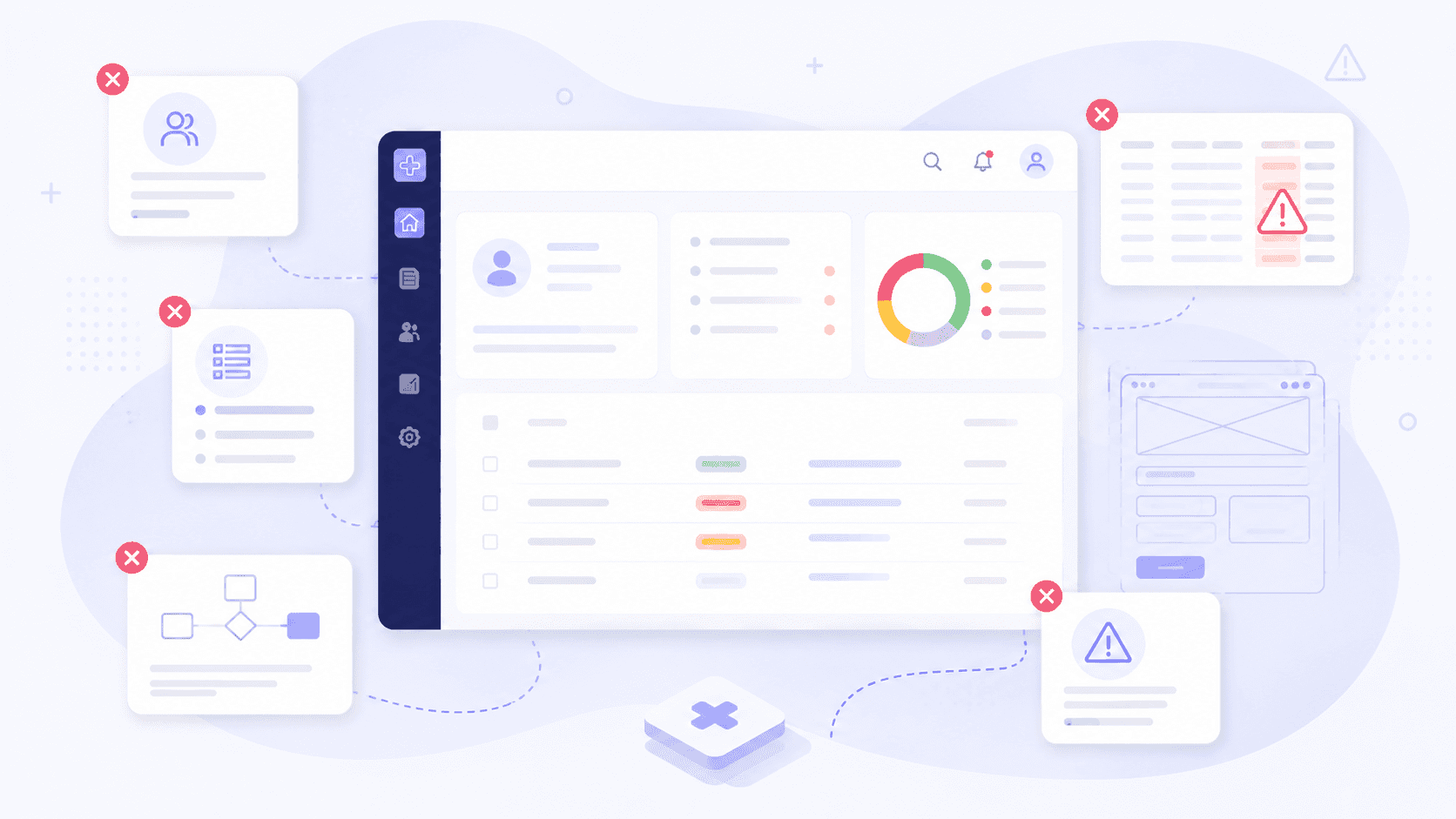
Healthcare products operate in one of the most complex environments in technology.
Unlike traditional SaaS platforms, healthcare software serves multiple stakeholders simultaneously - providers, administrators, researchers, patients, payers, and operational teams. When workflows are inefficient, the impact extends beyond user frustration. It can lead to delayed care, lower patient engagement, increased administrative burden, slower reimbursements, and reduced adoption.
After studying healthcare workflows across patient recruitment, clinical trials, hospital operations, care management, Revenue Cycle Management (RCM), and provider-facing platforms, we've identified five recurring UX mistakes that continue to create friction across the industry.
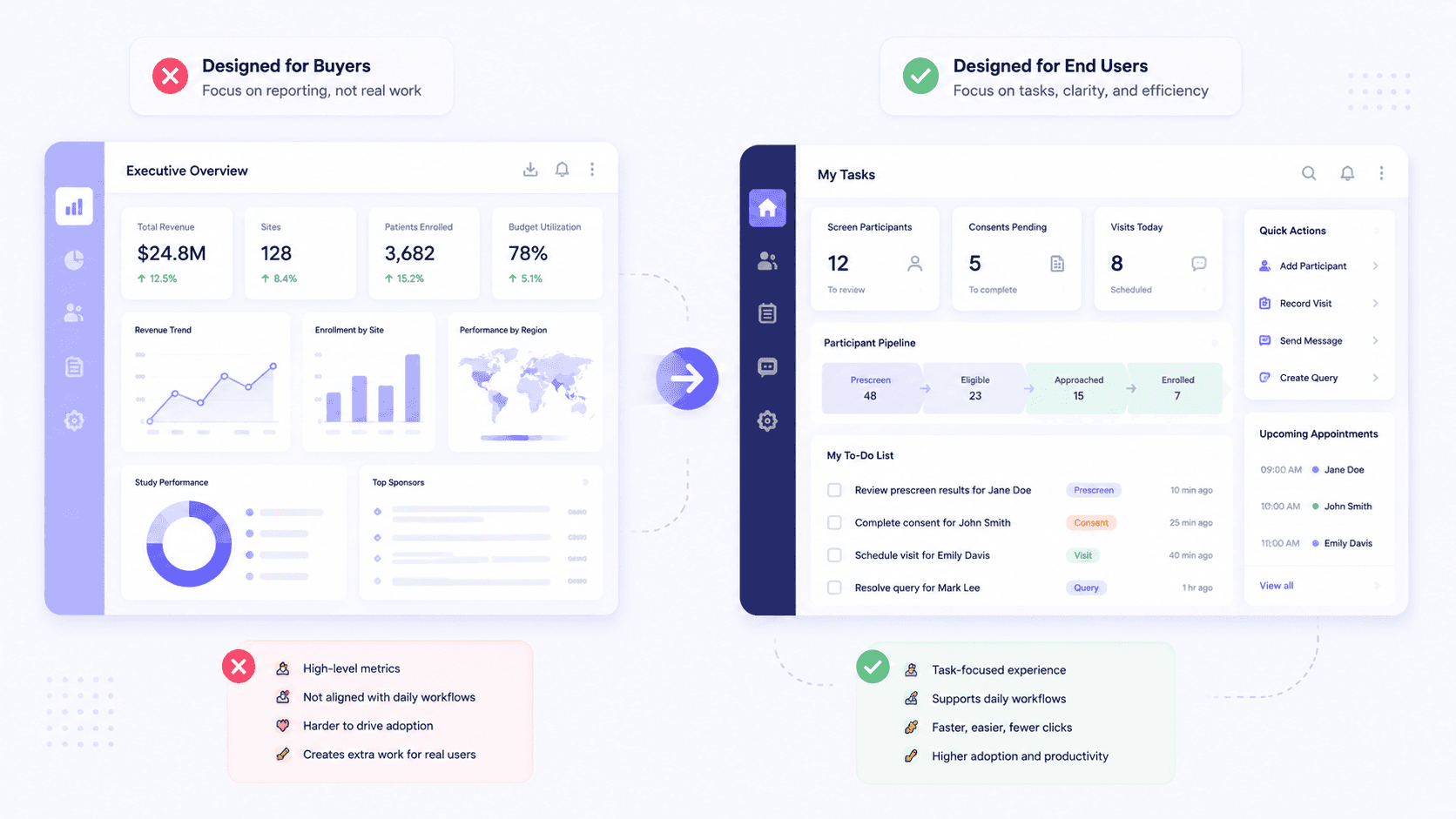
One of the most common mistakes in healthcare product development is designing primarily for the people who approve the budget rather than the people who use the product every day.
Healthcare software is often purchased by executives, operations leaders, hospital administrators, or research sponsors. However, the actual users are typically:
Clinical research coordinators recruiting and managing participants
Physicians and nurses documenting patient care
Front-desk staff handling scheduling and intake
Care coordinators managing patient journeys
Revenue cycle teams processing claims and reimbursements
The problem arises when products prioritize executive dashboards, reporting widgets, and high-level metrics while neglecting operational workflows.
For example:
A clinical trial coordinator needs to quickly identify eligible participants, not navigate through sponsor-level reporting dashboards.
A hospital admissions team needs immediate visibility into bed availability and patient status, not organization-wide performance charts.
A patient recruitment specialist needs clear outreach workflows, not complex analytics screens.
When a task performed hundreds of times per day requires even a few extra clicks or seconds, the productivity loss becomes significant across an entire organization.
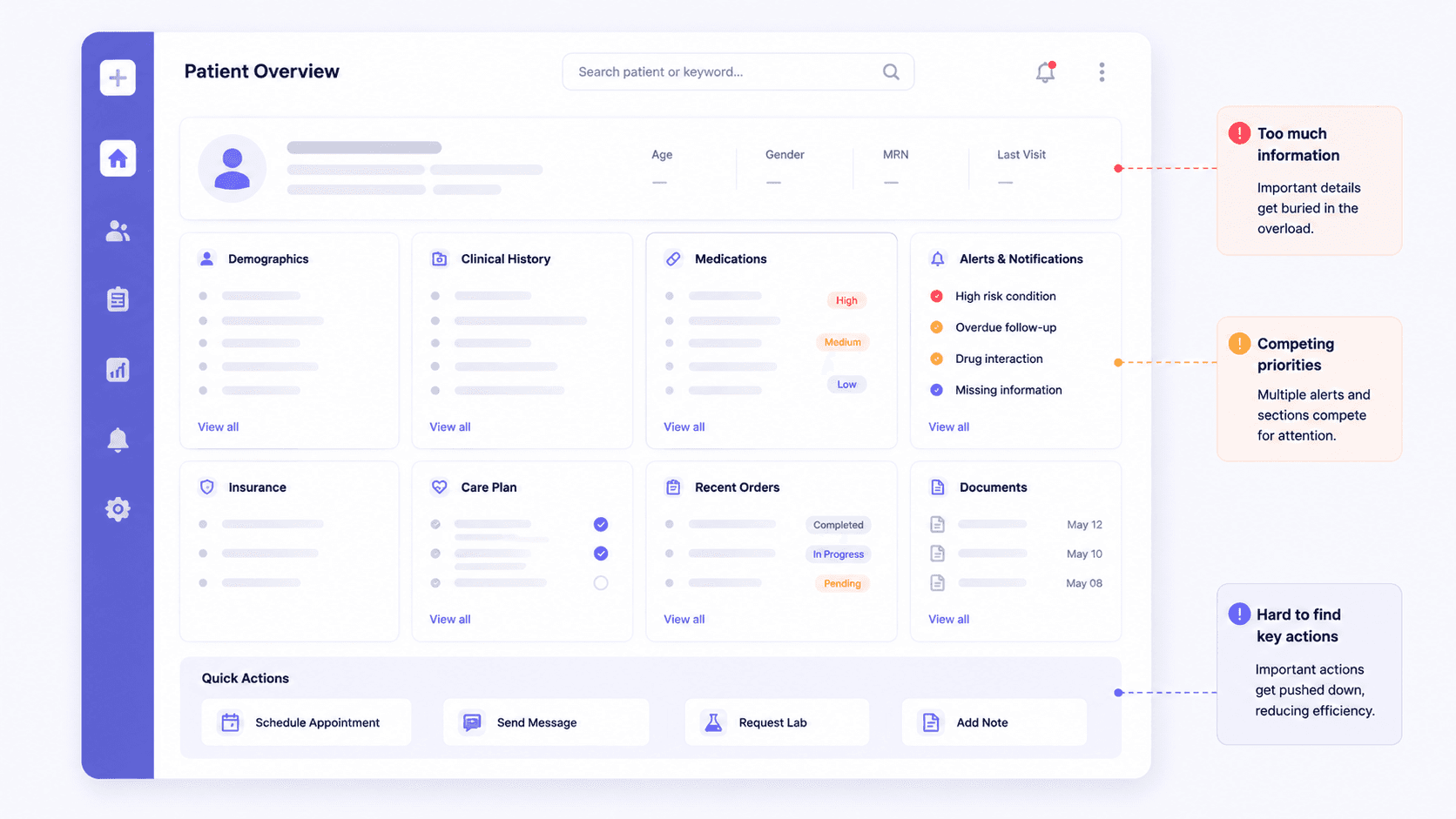
Healthcare organizations generate enormous amounts of data, but more information on a screen does not automatically create better decisions.
Many healthcare products attempt to solve complexity by displaying everything at once:
Patient demographics
Clinical history
Trial eligibility criteria
Insurance information
Care plans
Billing details
Alerts and notifications
The result is often a cluttered interface where users spend more time searching for information than acting on it.
For example:
A physician reviewing a patient chart needs the most relevant clinical information surfaced first.
A clinical trial recruiter needs to quickly determine eligibility rather than scan through dozens of unrelated data points.
A hospital operations manager needs actionable alerts, not an overwhelming dashboard filled with metrics.
Effective healthcare UX focuses on information hierarchy:
What does the user need right now?
What information supports that decision?
What can remain accessible but secondary?
The goal isn't to hide information - it's to surface the right information at the right moment.
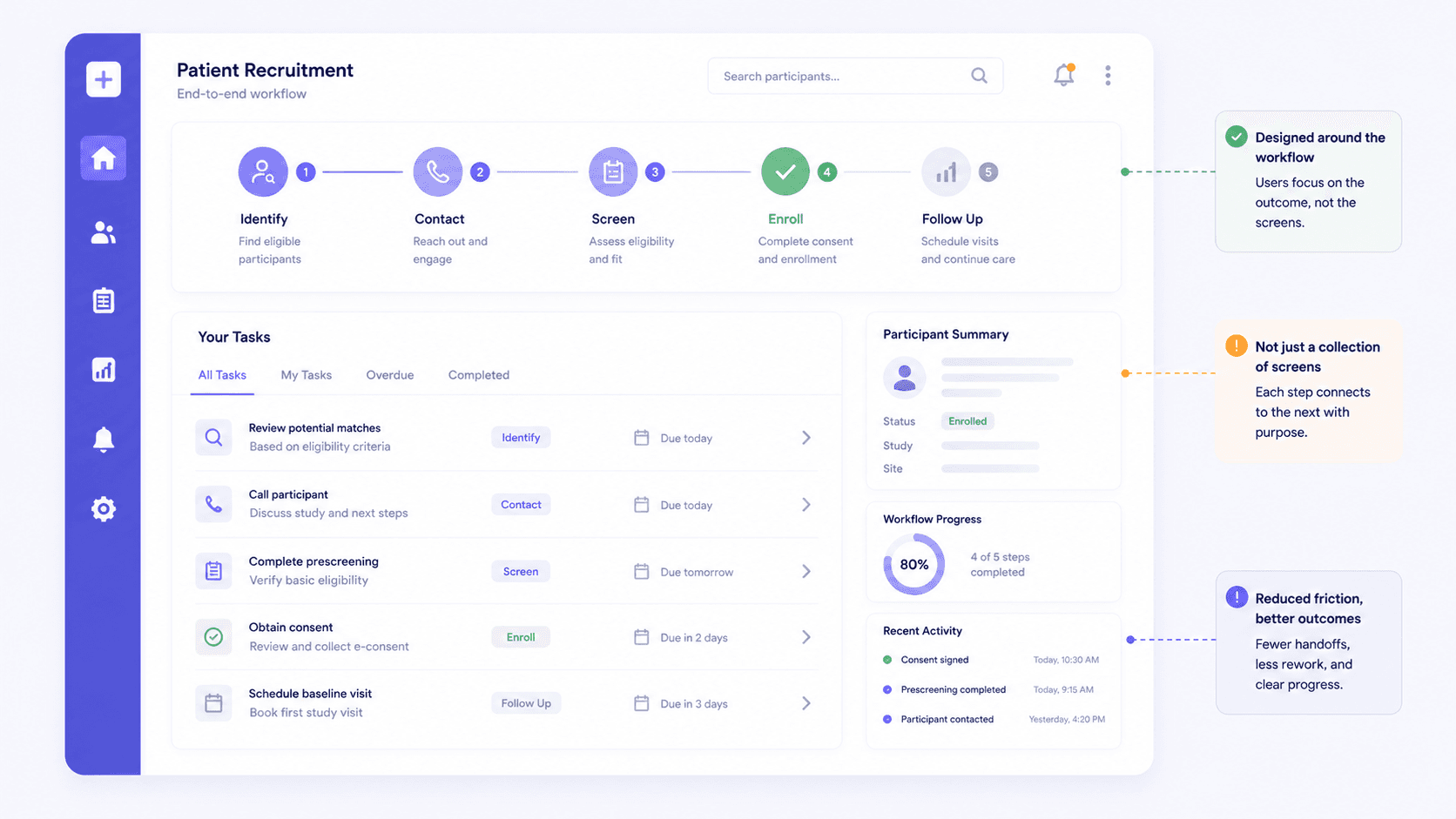
Many healthcare products are designed screen by screen rather than workflow by workflow.
This creates a disconnect between how the product is built and how users actually work.
Consider a patient recruitment workflow.
The user isn't thinking:
"Which screen am I on?"
They're thinking:
"How do I identify, contact, and enroll the right participant as efficiently as possible?"
The same applies to:
Clinical trial enrollment
Patient intake
Care coordination
Hospital discharge planning
Claims submission
Referral management
When teams optimize individual screens without understanding the complete workflow, users are forced to:
Re-enter information
Switch between multiple systems
Navigate unnecessary steps
Manually track progress
Strong healthcare products reduce workflow friction by understanding the entire journey from start to finish and eliminating unnecessary effort wherever possible.
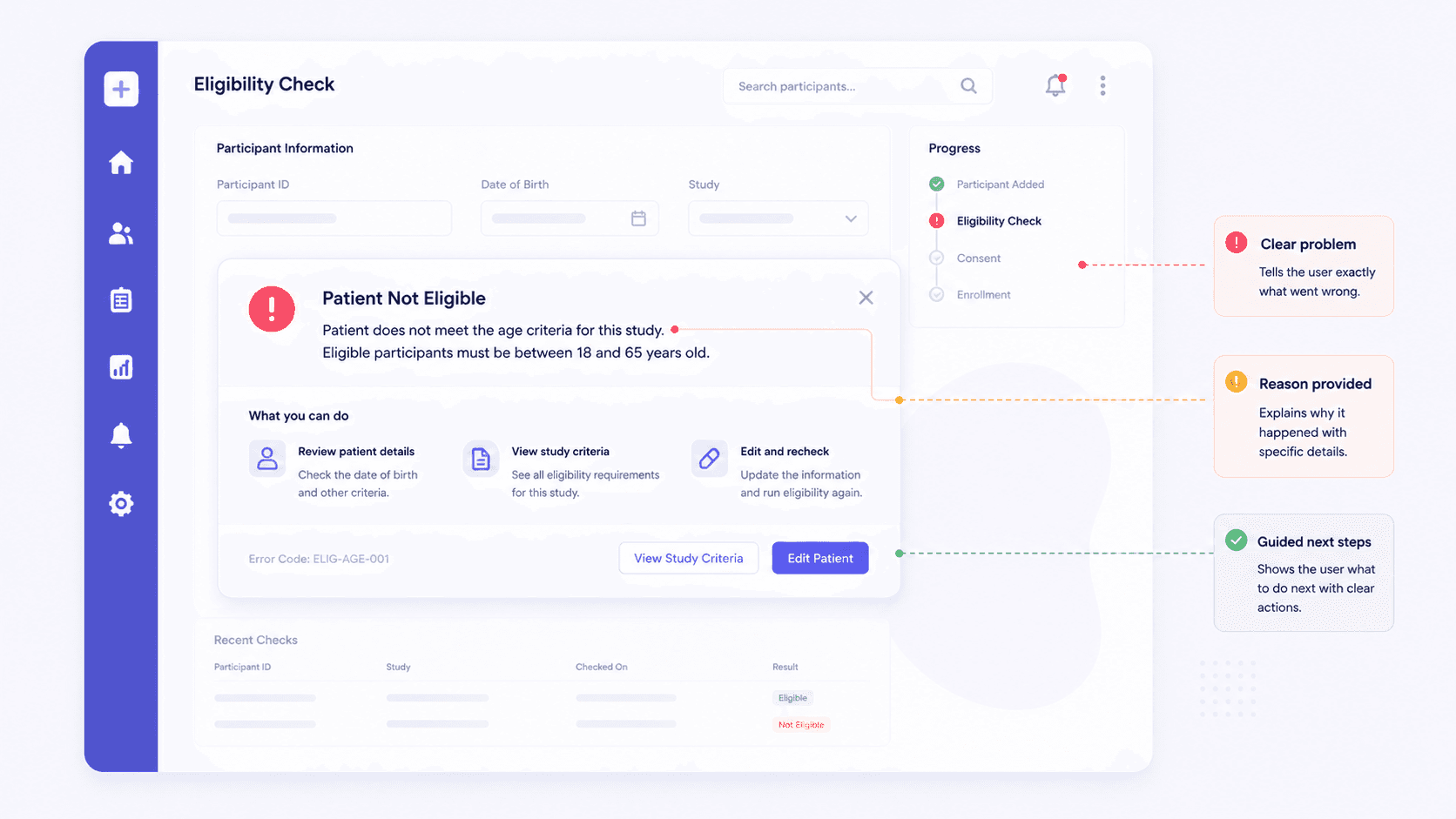
Healthcare software frequently identifies problems but fails to help users solve them.
Common examples include messages such as:
"Submission Failed"
"Patient Not Eligible"
"Scheduling Error"
"Missing Information"
While technically accurate, these messages create additional work because users must investigate the issue themselves.
In healthcare operations, every unresolved error can delay:
Clinical trial enrollment
Patient scheduling
Care delivery
Claims processing
Reimbursements
A well-designed system should answer three questions immediately:
What went wrong?
Why did it happen?
What should the user do next?
For example, instead of displaying:
"Patient Not Eligible"
The system could display:
"Patient does not meet the age criteria for this study. Eligible participants must be between 18 and 65 years old."
This small improvement reduces support requests, shortens resolution time, and helps users move forward without interruption.
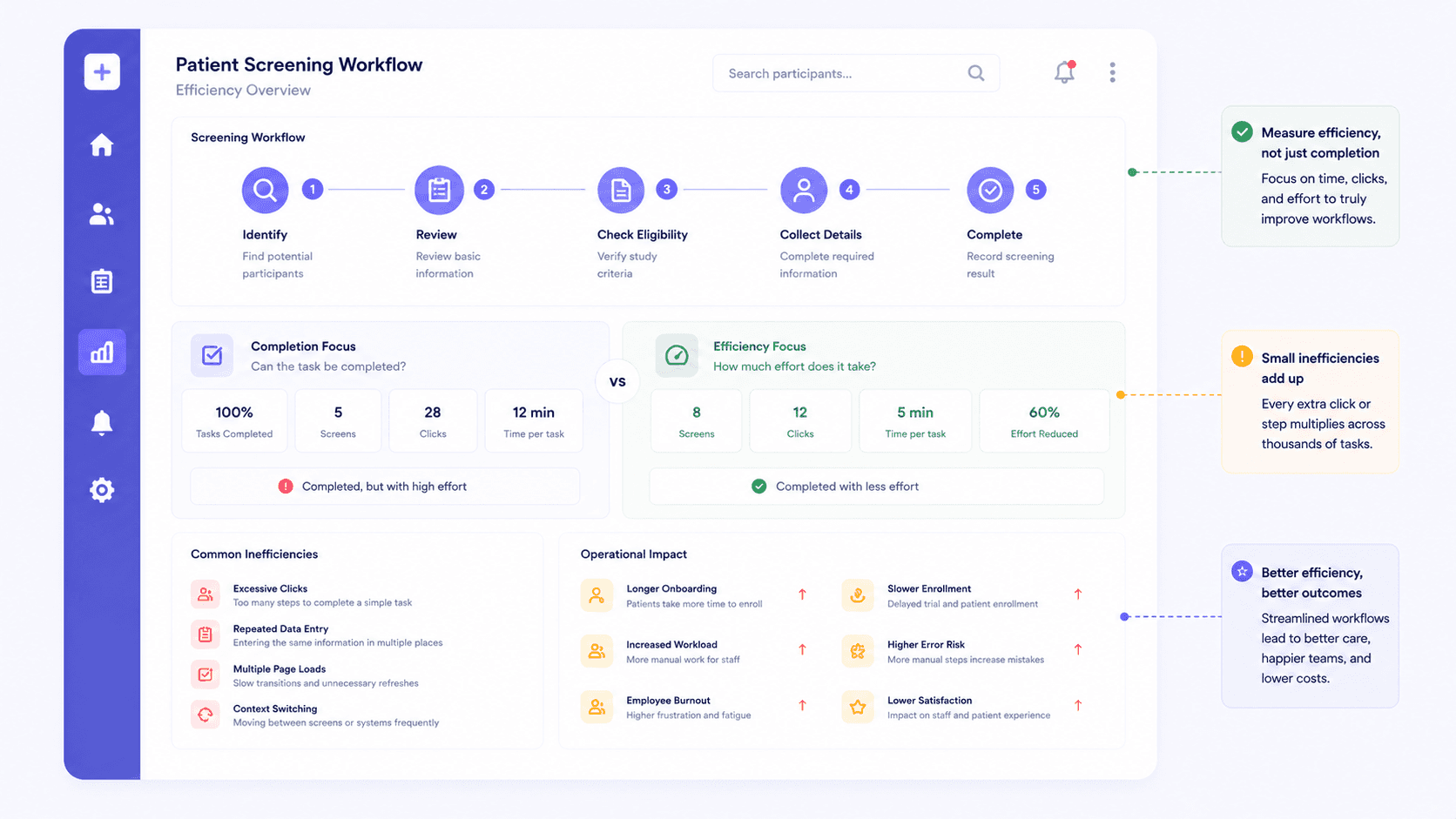
Many healthcare teams evaluate success based on whether a workflow can be completed.
A more important question is:
How much effort does completion require?
Consider these examples:
A clinical research coordinator screening hundreds of participants each month
A nurse documenting patient encounters throughout a shift
A hospital administrator managing admissions and discharges
An RCM specialist reviewing hundreds of claims daily
If the workflow requires:
Excessive clicks
Repeated data entry
Multiple page loads
Frequent context switching
The process may technically work, but it is far from efficient.
Small inefficiencies compound quickly:
Longer patient onboarding times
Slower trial enrollment
Increased administrative workload
Higher risk of human error
Employee frustration and burnout
The most effective healthcare products focus not only on task completion but also on reducing operational burden across the entire ecosystem.
Poor healthcare UX is rarely just a design issue - it directly impacts outcomes, efficiency, and adoption.
At DotEdge Design, we focus on understanding real-world healthcare workflows before designing interfaces. By mapping user journeys across patient recruitment, clinical trials, provider operations, hospital management, and revenue cycle processes, we help healthcare organizations build products that are easier to use, faster to adopt, and more effective at supporting both users and business goals.
The best healthcare products aren't the ones with the most features - they're the ones that make complex healthcare workflows feel effortless.