- DotEdge Design
Most startup founders don’t think their product has a UX problem. More often, they believe users just need more time to explore it. But here’s what usually happens instead: users open the product, glance around, look for something familiar, and move on if things don’t click quickly. They don’t read every screen carefully. They scan, jump between sections, and search for signals that tell them they’re in the right place. When that clarity doesn’t show up fast enough, they leave, not because the product is bad, but because it’s mentally tiring to understand. This isn’t about poor design or missing features. It’s about how people actually read screens.
If you’re a founder, this matters more than you think. People don’t read digital interfaces the way they read books , they scan them. Including you. Think about your own day: you skim dashboards, glance through pitch decks, scan Notion pages, scroll landing pages, and open tools just to “check something.” Very rarely do you read word by word. That’s not laziness; it’s how the brain handles information in a digital world. Designers call this behavior reading patterns, but you don’t need to be a designer to use them.
Once founders understand these patterns, they start reviewing screens faster, spotting UX issues earlier, and building products that feel instantly clear. Let’s break down six key reading patterns, using simple examples from everyday product experiences.
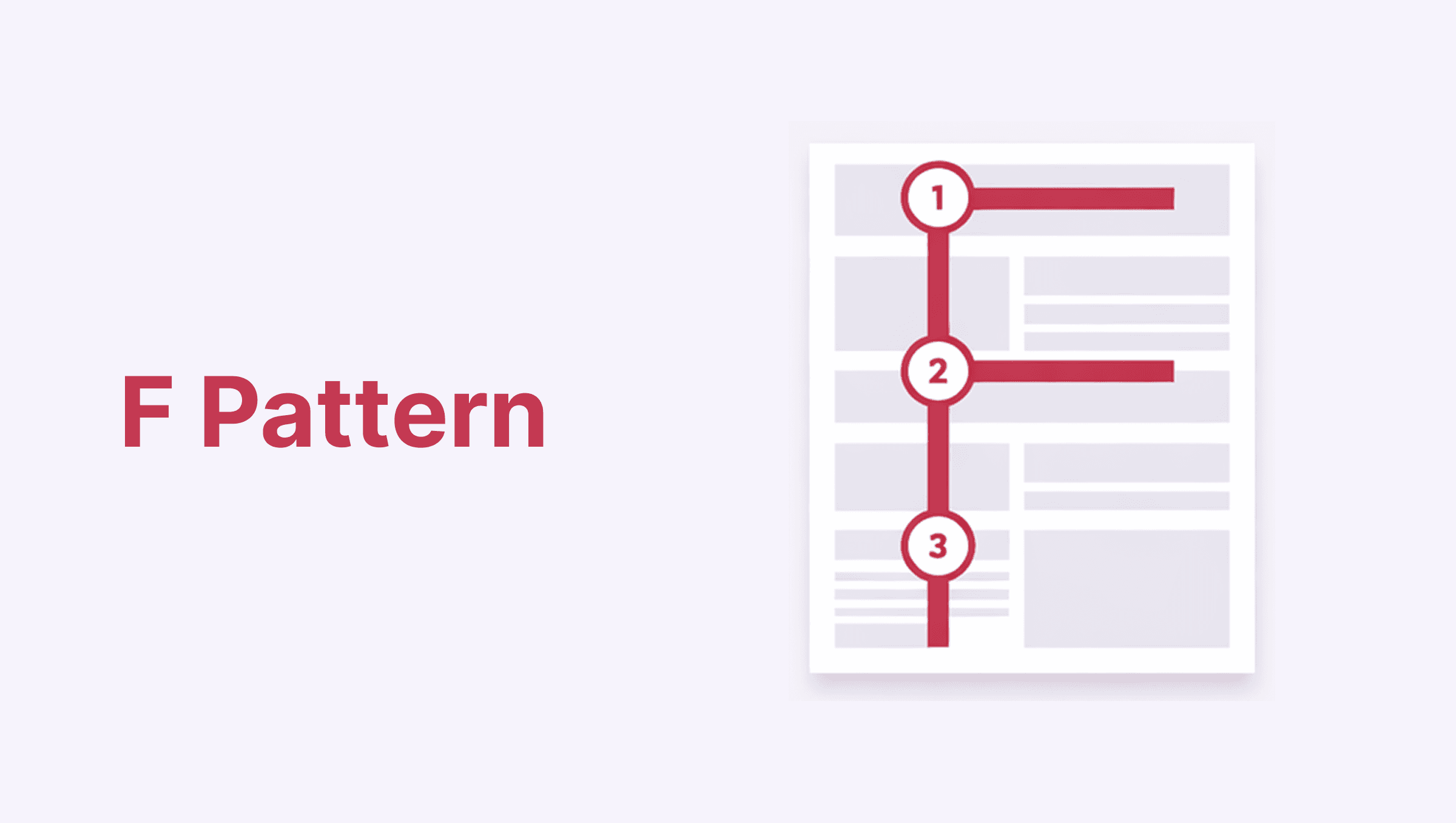
The F-pattern is what usually happens when a page has a lot of text. Instead of reading everything, people quickly scan the top part of the page and then move down the left side to see if anything stands out. This pattern shows up when users are trying to decide whether a page is worth their time.
How users scan
Users move horizontally across the top, then slightly lower, and then vertically down the left side. The further down the page they go, the less attention each line gets.
This means:
Top lines matter most
Left-aligned content gets more attention
Deep paragraphs are often skimmed
Where it works
Blog posts
SaaS feature pages
Knowledge bases
Dashboard pages with descriptions
If a page relies heavily on text, it’s likely being scanned in this pattern, not read line by line.
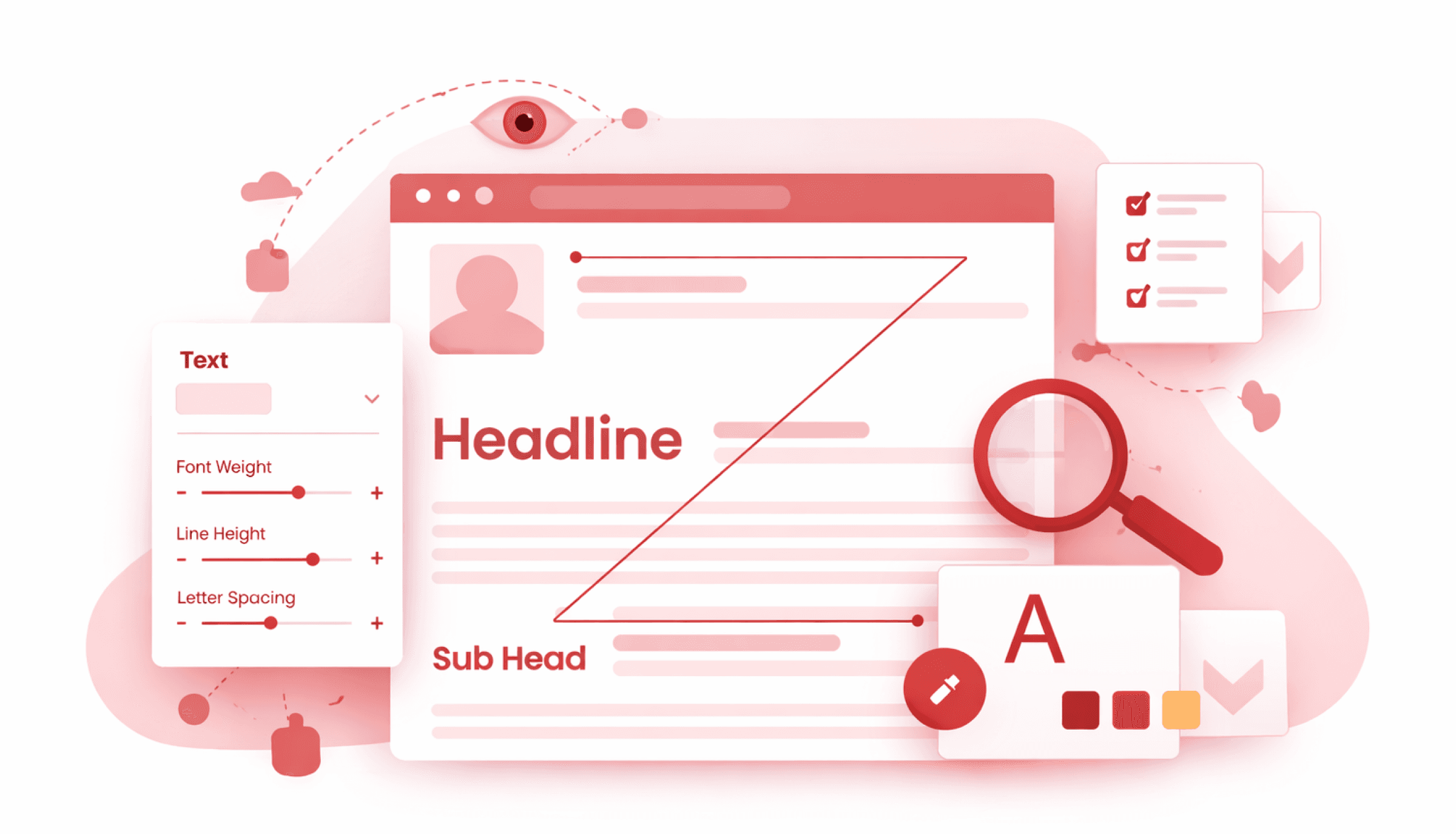
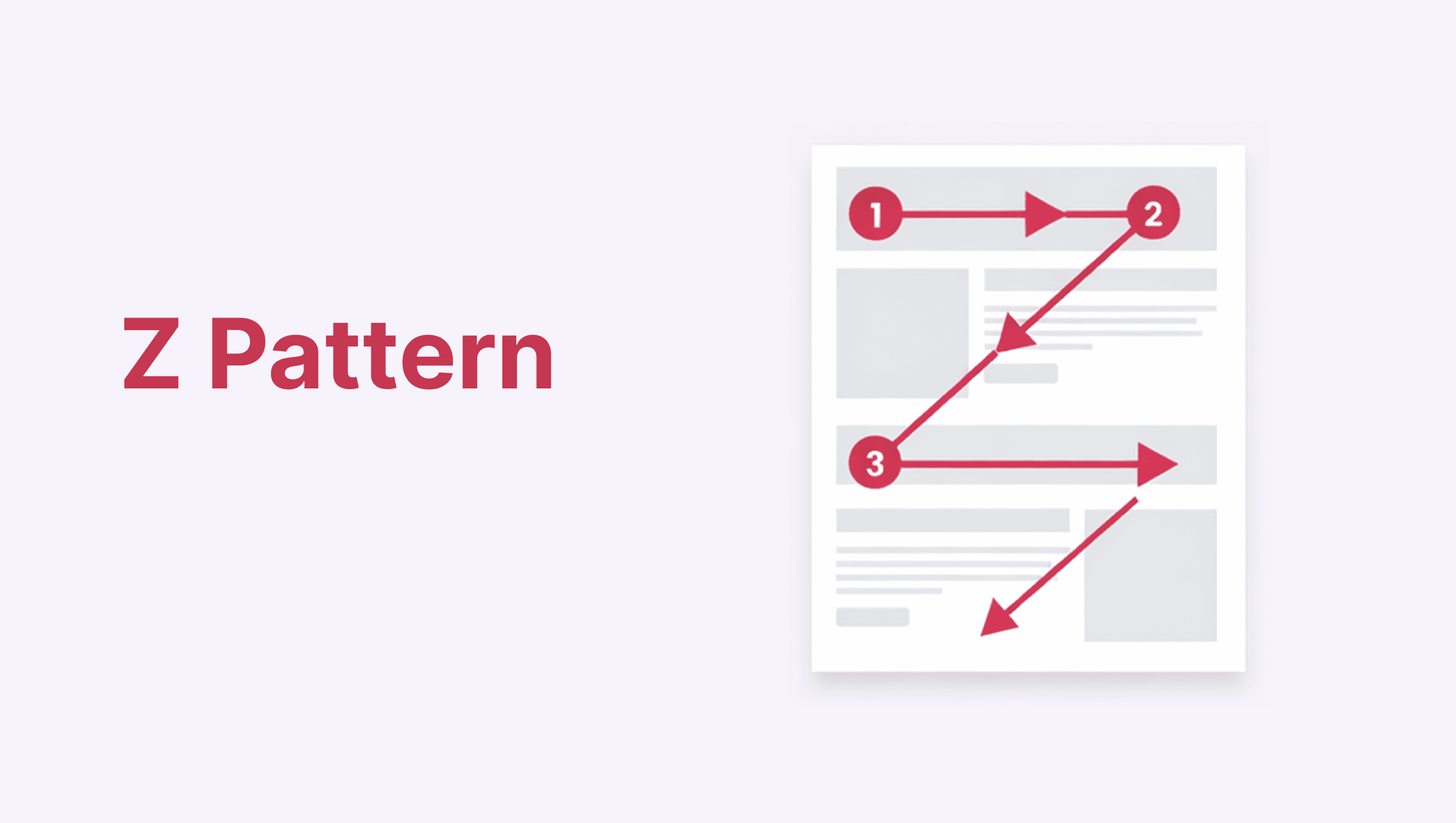
The Z-pattern is common on pages that are simple and visually structured. These pages don’t expect users to read much, they guide attention instead. People naturally move their eyes across the page in a predictable flow to understand what the page is about and what to do next.
How users scan
The Z-pattern appears on simple, visually structured pages with minimal text.
Eyes move:
Top-left → top-right → diagonally down → bottom-left → across to bottom-right.
This creates a natural flow for:
Headline
Supporting message
Call-to-action
Where it works
Landing pages
Waitlist pages
Simple marketing pages
Promotional sections
This pattern is less about reading and more about orientation, understanding what the page offers and what action to take.
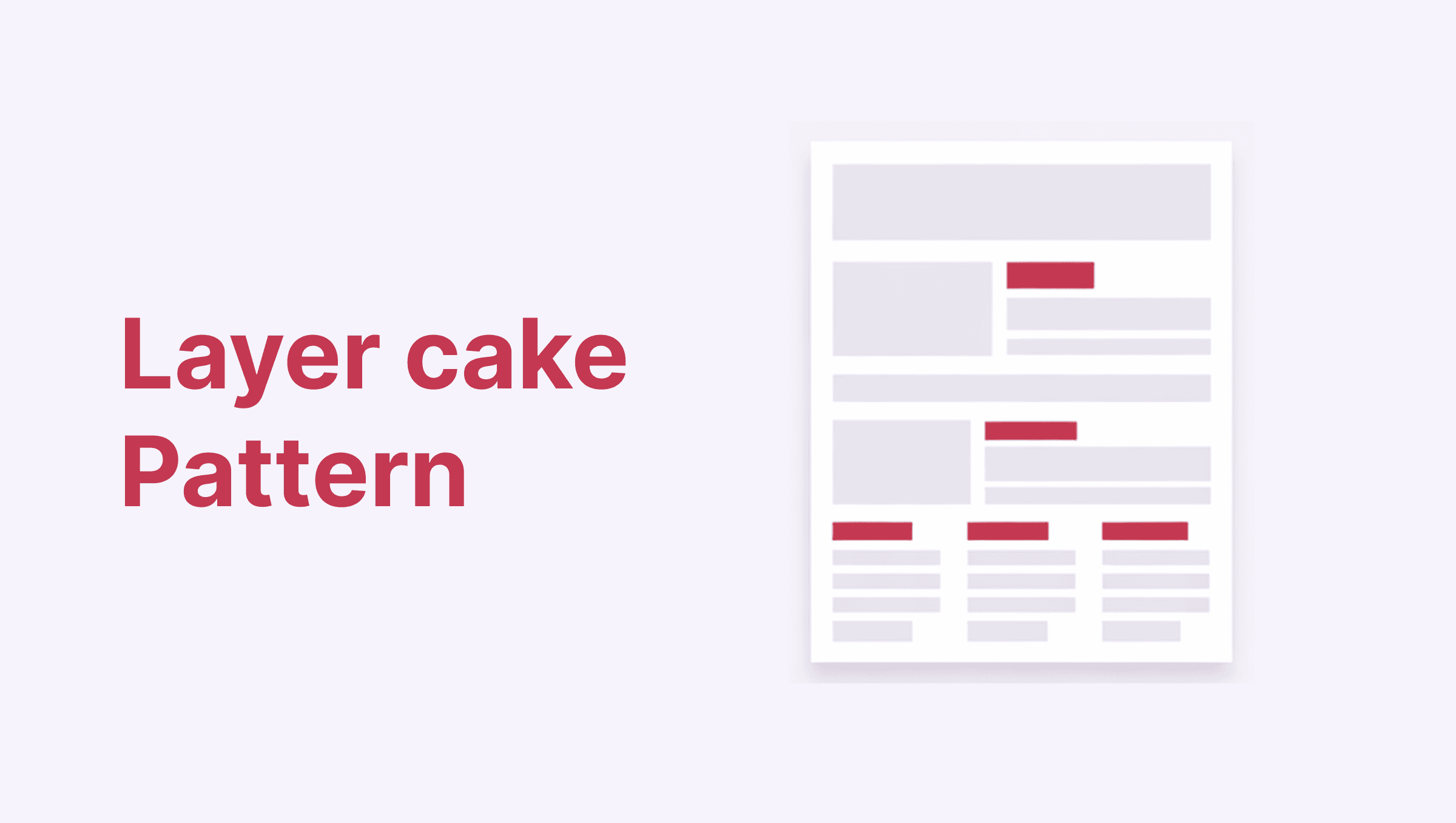
On longer pages, most people don’t start by reading paragraphs. They start by scanning headings. The Layer Cake pattern describes how users move through content by first skimming section titles and only reading deeper when something feels relevant.
How users scan
Users skim headings first. If something feels relevant, they dive into that section. If not, they move on.
The page gets consumed in layers:
Headings → Subheadings → Selected paragraphs.
Where it works
Long-form blog posts
Case studies
Product documentation
Feature breakdown pages
If headings are weak or generic, entire sections get skipped.
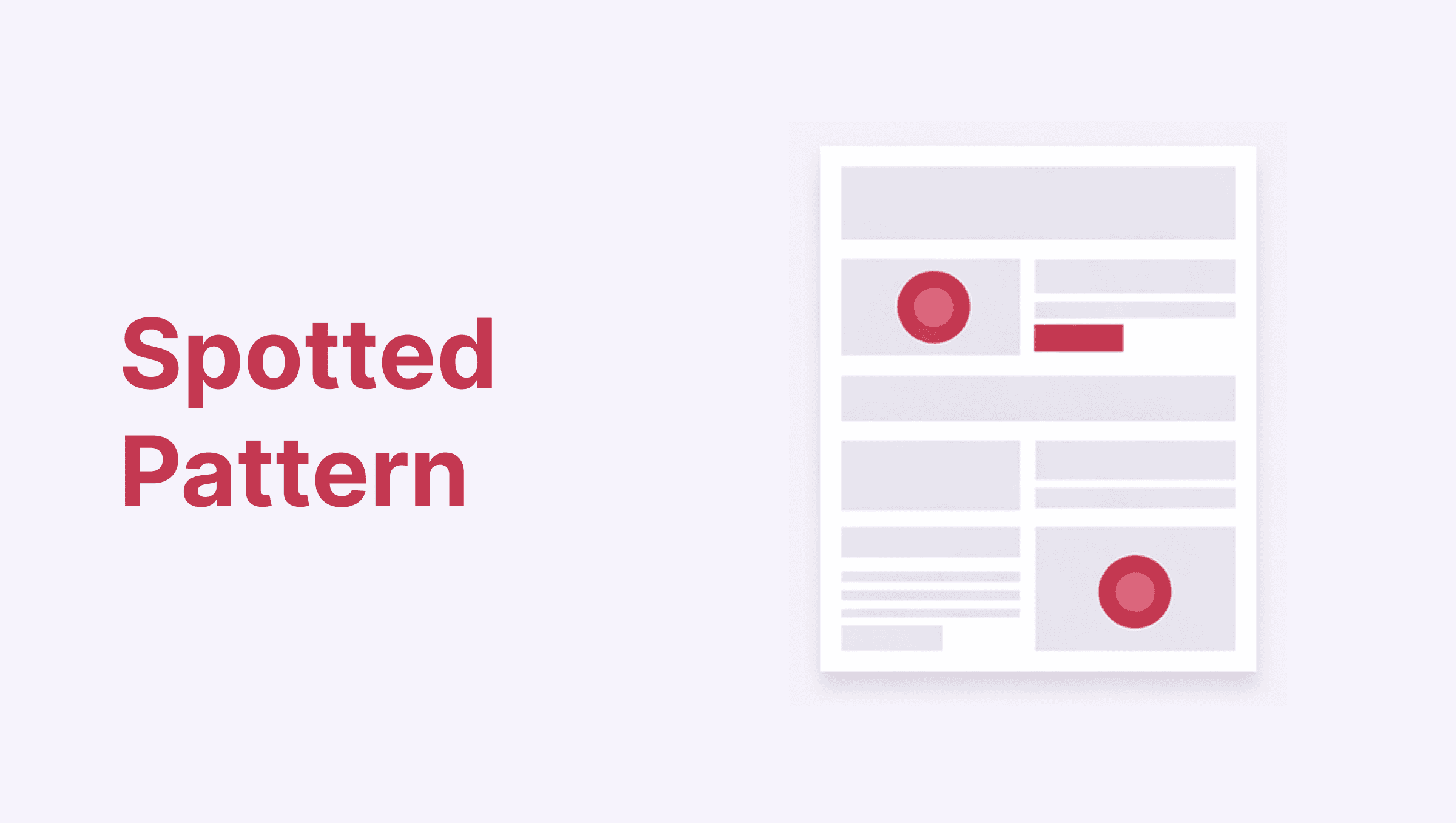
Sometimes users aren’t scanning in a clear direction at all. They’re looking for something specific. The Spotted pattern happens when people jump around a page searching for familiar elements like buttons, prices, icons, or navigation items.
How users scan
They look for:
Buttons
Pricing numbers
Icons
Logos
Navigation menus
Recognizable UI components
It’s less about reading and more about hunting for signals.
Where it works
Pricing pages
Dashboards
Comparison tables
E-commerce pages
Users are scanning for anchors that help them decide quickly.
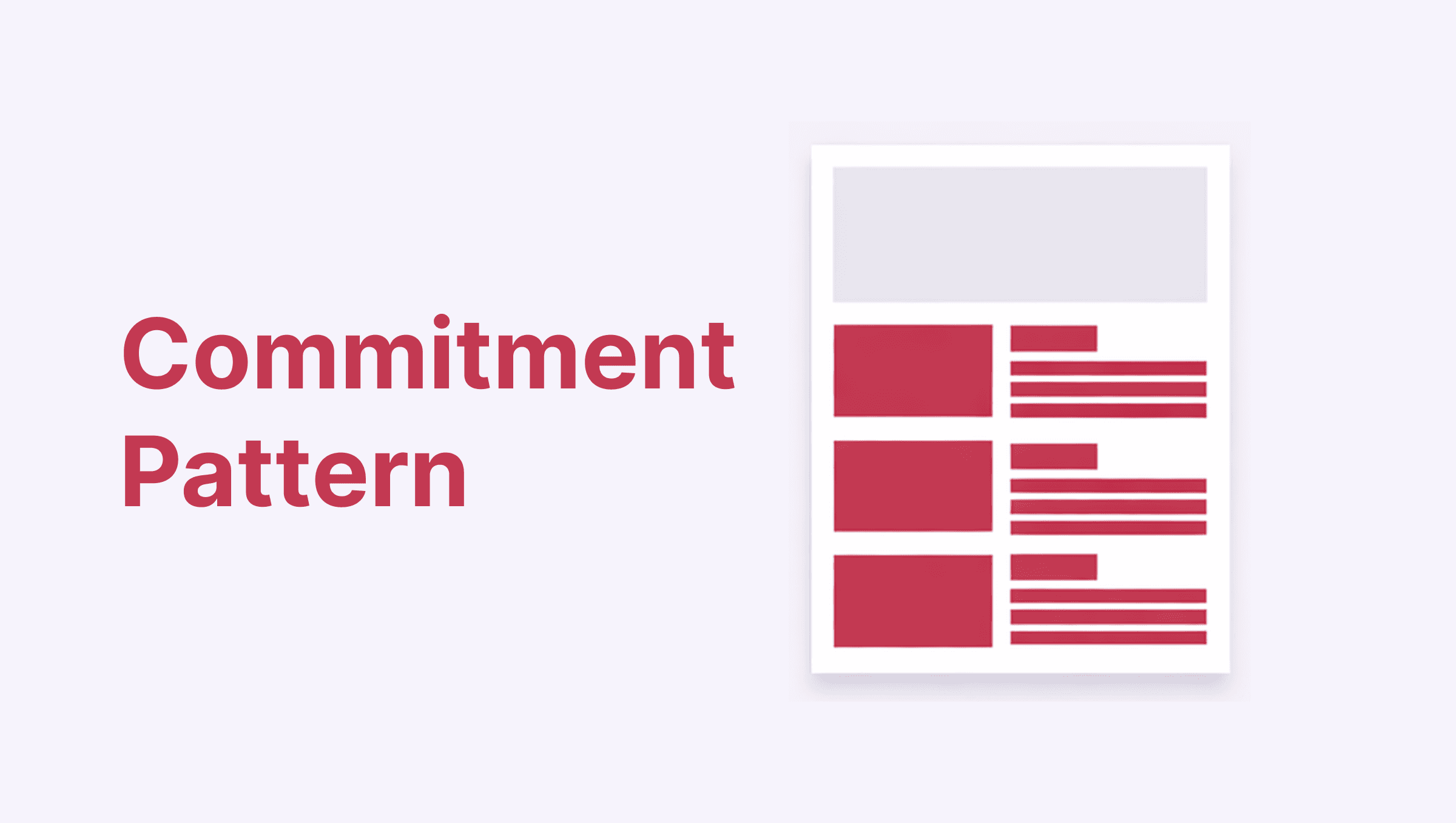
This pattern is less about reading and more about interaction. The Commitment pattern describes how users are more likely to continue once they’ve taken a small initial action, such as clicking, scrolling, or completing one simple step.
How users scan
After completing a small action (scrolling, clicking, entering one field), users are more likely to continue. Momentum builds through micro-actions.
Where it works
Onboarding flows
Multi-step forms
Guided product tours
Checkout flows
The first interaction matters. If it feels light, users move forward. If it feels heavy, they drop.
Reading patterns aren’t a designer trick, they’re a founder’s advantage. When you understand how people scan, skip, and prioritize information, you stop designing for how you want users to behave and start designing for how they actually behave. This clarity compounds fast: better onboarding, faster decisions, fewer support questions, and products that feel obvious instead of overwhelming. For companies, this means higher activation, better retention, and less friction hiding behind “users didn’t get it.”
At DotEdge Design, this is exactly how we approach product and web design- not by making things look good, but by making them read right. Because when a screen respects how the human eye and brain work, users don’t need to explore harder. The product simply speaks for itself.